The signed bid becomes the job file.
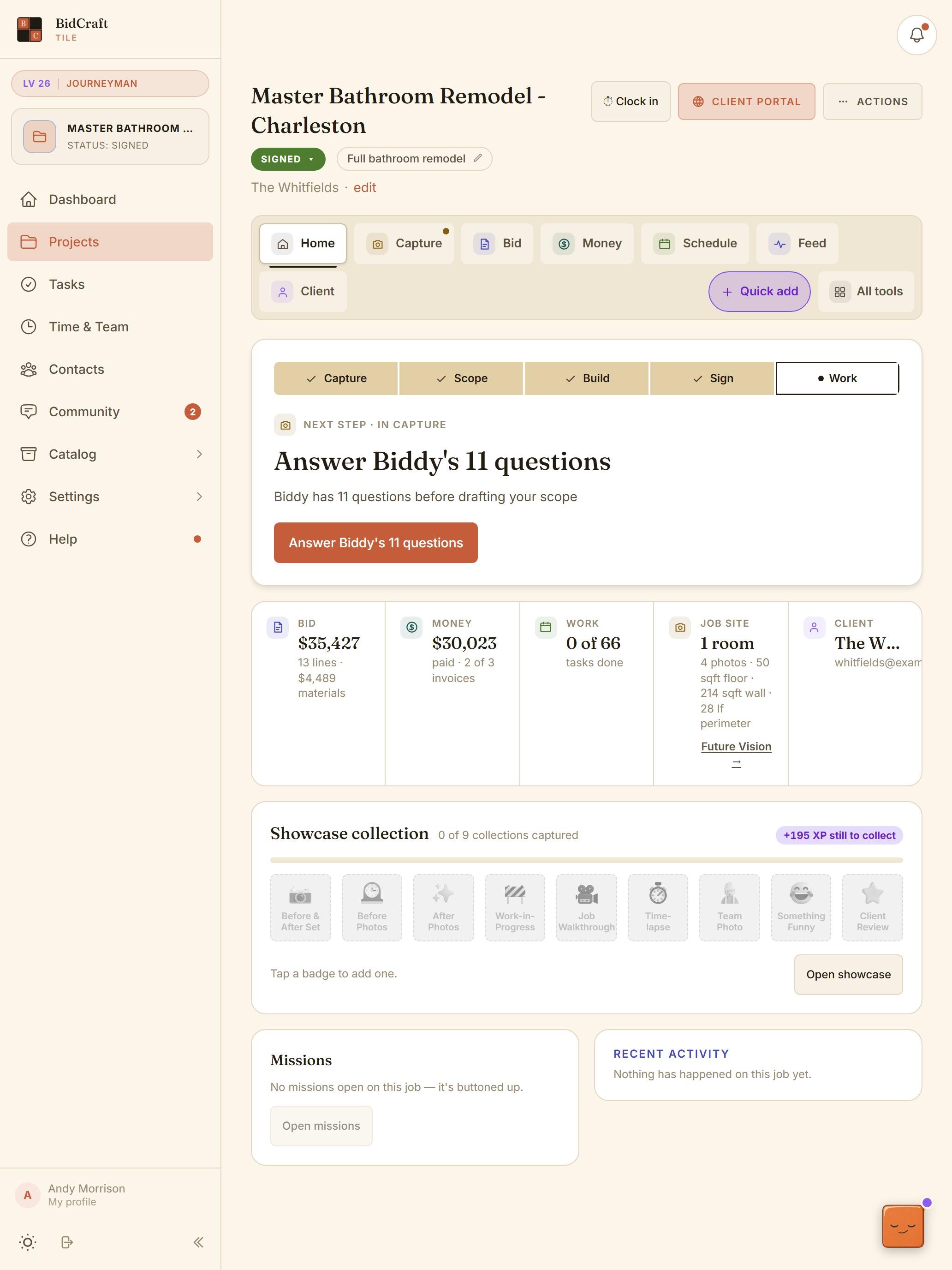
Once the homeowner signs, the same project runs the work. Home, Capture, Bid, Money, Schedule, Feed and Client: every tab works off the same numbers, so nothing gets typed twice.
Card required at signup. 30-day money-back guarantee.
- Home
- Capture
- Bid
- Money
- Schedule
- Feed
- Client
What it does, line by line.
- One command center per job
- Seven tabs: Home, Capture, Bid, Money, Schedule, Feed and Client. The bid, the money and the work all read from the same project.
- Always a next step
- Every project tells you what's next, like answering Biddy's questions before your scope gets drafted, so a half-finished bid never gets lost.
- Tasks and schedule from the job type
- Each job type carries its own tasks, so the schedule starts filled in. Assign crew, switch to a Gantt view, and share tasks with the homeowner only when you choose.
- Photos that keep working
- Before, progress and after photos live on the job feed and the showcase, ready for the next proposal and your next post.
- A client portal
- The homeowner gets one link for the proposal, the signature, payments, shared tasks and messages.
- Quick add from anywhere
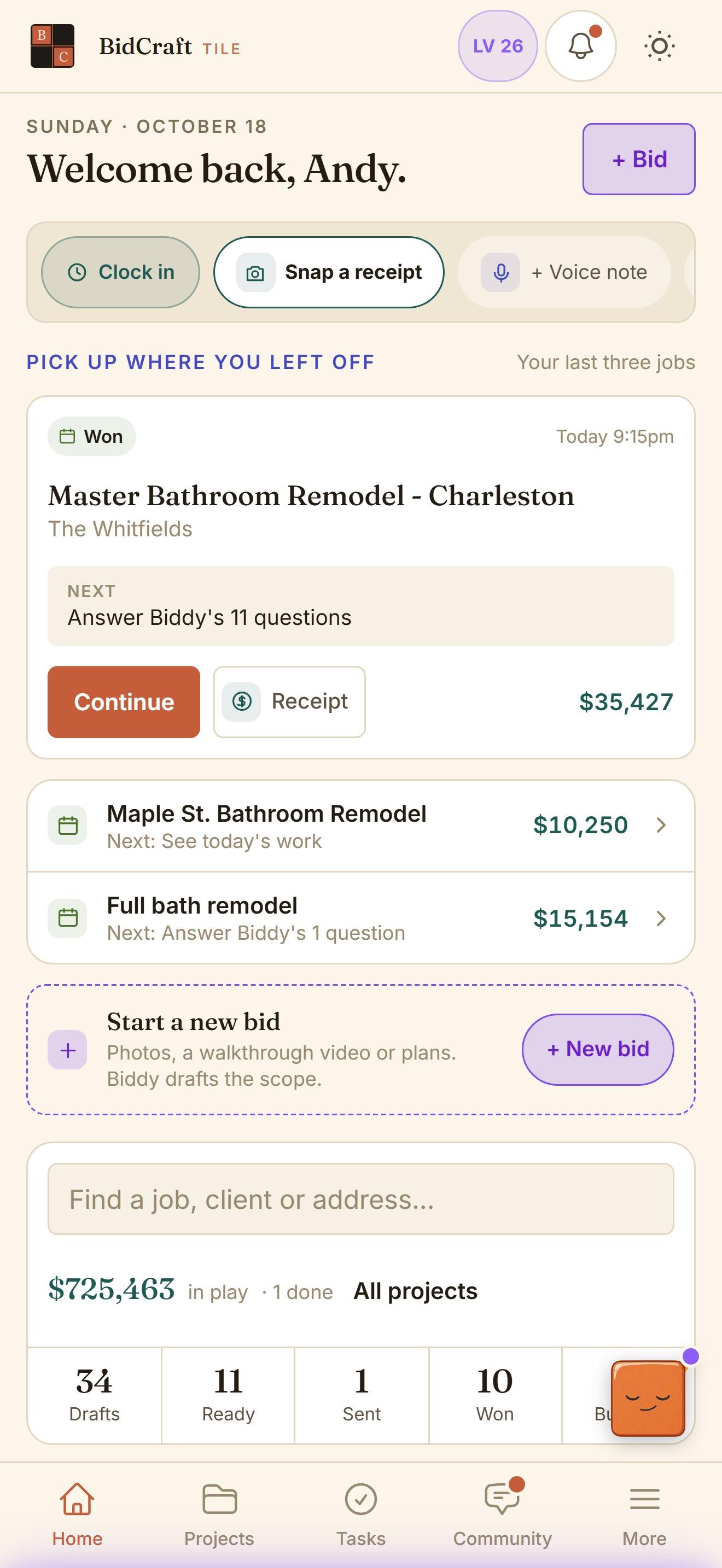
- Snap a receipt, record a voice note or clock in from the home screen without hunting for the job.
- In your pocket and on your desk
- Apps for iPhone and Android for the jobsite, and the full app in a browser for office nights.
Pick up where you left off.
Open the app and your last three jobs are waiting, each with its next step and its number. One tap continues the job.
Questions about it.
Do I have to use the project side?
No. Plenty of members start by bidding. The project side is there when you want to run the job from the same file.
Can the homeowner see my schedule?
Only the tasks you share. You can share all tasks on the client portal or mark them one at a time.
Is there a mobile app?
Yes, for iPhone and Android, plus the full app in a browser on any computer.
Bid your next bathroom in BidCraft.
Fourteen days on your real jobs, with your own rates and your own proposal style. The Growth Community and the Tuesday call come with it.
Card required at signup. 30-day money-back guarantee.